이 룩 사용 방법
- 01
사진 업로드
사용 권한이 있는 선명한 정면 사진을 사용하세요. 얼굴 주변에 여유를 두고 원본 색상이 잘 보이도록 하세요.
- 02
프리셋에서 시작
버튼을 누르면 이 스타일과 프롬프트가 이미 선택된 상태로 생성기가 열립니다. 생성 전에 둘 중 하나를 편집할 수 있습니다.
- 03
생성, 확인, 다듬기
이미지 한 장이나 짧은 영상으로 시작하세요. 얼굴, 손, 의상, 배경을 확인한 뒤 수정이 필요한 부분만 바꾸세요.
검증된 프롬프트
현재 이미지 모델들이 더 안정적으로 따르기 때문에 프롬프트는 영어로 작성되었습니다. 사진에 맞게 세부 내용을 조정하세요.
검증된 프롬프트
현재 이미지 모델들이 더 안정적으로 따르기 때문에 프롬프트는 영어로 작성되었습니다. 사진에 맞게 세부 내용을 조정하세요.
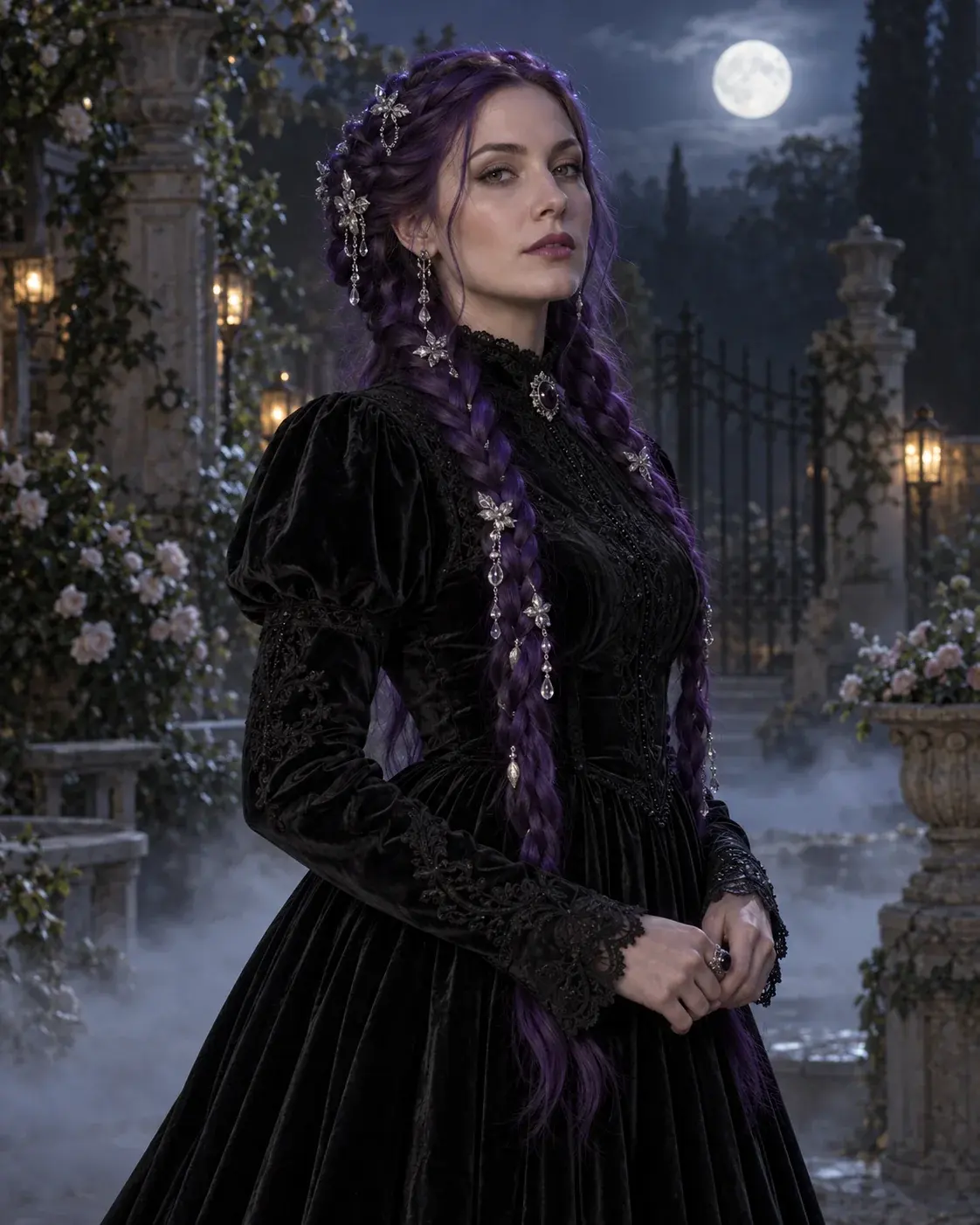
Use the uploaded photo as the primary reference. Preserve the subject recognizable facial identity, facial proportions, skin tone, approximate age and natural anatomy. Transform the subject into an original gothic Halloween fashion portrait. Change the hairstyle into long violet braids decorated with delicate silver hair accessories. Replace the clothing with an elegant, fully opaque black-and-purple velvet outfit featuring subtle lace and metallic details. Place the subject in a moonlit Victorian garden with soft fog, glowing lanterns and dark autumn foliage. Use photorealistic editorial photography, realistic fabric textures, natural skin details and cinematic soft lighting. Keep the same number of people as the uploaded photo. Avoid altered facial identity, extra limbs, duplicated fingers, distorted anatomy, text, logos and watermarks.
시작 전 궁금한 점
결과물에 제 얼굴을 유지할 수 있나요?
네. 프리셋 프롬프트는 모델에게 얼굴 정체성, 비율, 피부 톤을 유지하도록 요청합니다. 다만 얼굴 일관성은 업로드한 사진과 선택한 모델에 따라 달라지므로 공유 전에 결과물을 확인하세요.
어떤 사진이 가장 잘 맞나요?
본인이 소유하거나 사용 권한이 있는 선명한 정면 사진을 사용하세요. 룩이 특별히 요구하지 않는 한 강한 뷰티 필터, 선글라스, 눈이 잘린 사진, 사람이 많은 단체 사진은 피하세요.
생성 전에 프롬프트를 편집할 수 있나요?
네. 프롬프트를 복사하거나 프롬프트가 채워진 상태로 생성기를 연 뒤 의상, 배경, 조명을 바꾸세요. 인물이 알아볼 수 있게 유지되길 원한다면 정체성 유지 문구는 그대로 두세요.